Browser extension · Chrome, Edge, Brave
Viewbench: Window Resizer and Responsive Bench
Resize to exact viewport sizes with unlimited presets and shortcuts, and test one page on several devices side by side.
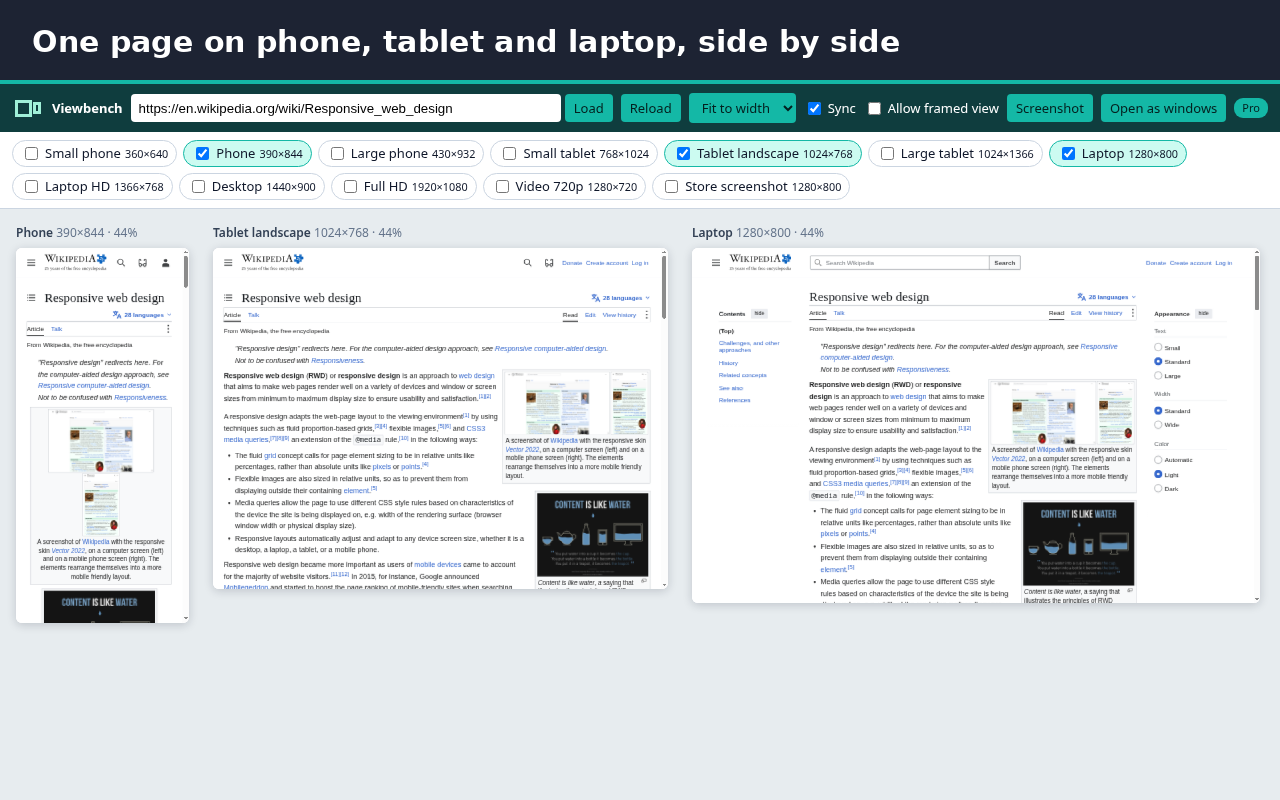
Viewbench does two jobs that usually need two extensions: it resizes your browser window to exact sizes, and it shows one page on several devices next to each other.
Resizer (free, no limits):
- Resize so the page itself gets the exact size (viewport), or the whole window
- Works from a maximised window: Viewbench restores it first, then resizes
- When a size is smaller than the browser allows for normal windows, Viewbench says so and opens the page in an exact-size compact window instead of giving you a wrong size
- 12 ready presets in groups (phones, tablets, desktops, recording), all visible in one scrolling list
- Add as many presets as you like, remove any, type a custom size, save the current size
- Rotate (swap width and height)
- Place the window where it is, centred, top left or top right
- Shortcuts: next and previous preset, rotate, open the bench, plus 12 preset slots you can bind at chrome://extensions/shortcuts
- Export and import presets as a JSON file
- Open a page in exact-size windows for several devices at once
Bench (free: 2 devices at once):
- Show the current page on several devices side by side, scaled to fit your screen
- Pick devices from your presets, zoom to fit, 100%, 75%, 50% or 33%
- Reload all devices at once
Pro (EUR 9, one payment, no subscription):
- As many devices on the bench as you like
- Sync: scroll, clicks, hover and typing in one device are copied to all the others
- Framed view: show sites that normally refuse to load in a frame. This only applies to the bench tab and only to sites you allow
- One-click screenshot of the whole bench
Privacy: Viewbench has no access to your sites at install. Bench sync and framed view ask for access to one site at a time, when you turn them on. Nothing is collected or sent anywhere. There are no analytics and no ads, and no banners asking you to upgrade.
Works in Chrome, Brave, Edge and other Chromium browsers. In Brave, sites that need a login may show you as logged out inside the bench, because Shields blocks third-party cookies in frames. Use "Open as windows" for those.
Install and price
Viewbench is free. The Chrome Web Store listing is in review; the install link will be added here when it is live. Pro costs €9, one payment, no subscription: Buy Pro on Gumroad