Browser extension · Chrome, Edge, Brave
Stylelark: Design Inspector
Hover any element to read its fonts, colours, spacing and contrast. Measure, pick colours and list every colour and font on the page.
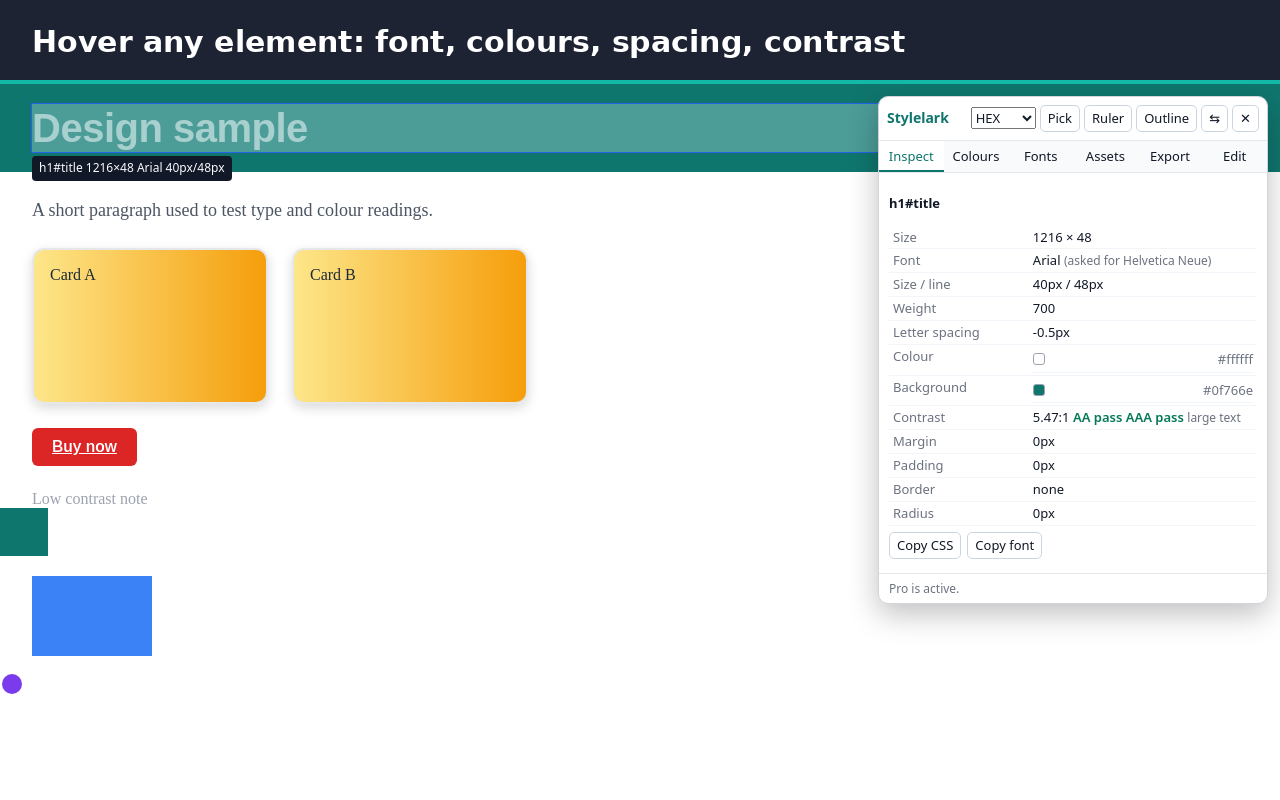
Stylelark shows how any web page is styled. Click the icon, hover an element and read its font, colours, spacing and contrast at once.
Free, with no daily limit and no account:
- Hover to read the size, rendered font, font size, line height, weight, letter spacing, colour, background, margin, padding, border, radius and shadow
- See the font that actually renders, not only the first name in the font stack
- Contrast ratio with WCAG AA and AAA results, with a warning when text sits on a gradient or image
- Click to pin an element, hover another and see the distance between them in pixels, or the spacing to its parent's edges
- Ruler for any area, outline mode for every element, arrow keys to move to the parent or child
- Screen colour picker that works with Brave Shields
- Every colour on the page grouped by text, background, border, gradient, shadow and SVG, plus gradients, shadows, fonts and the type scale
- HEX, RGB, HSL and OKLCH; click any value to copy it
Pro (EUR 15, one payment, no subscription):
- Copy an element's CSS, cleaned of default values
- Export the page's colours, fonts, type scale, radii and shadows as CSS variables, a Tailwind theme or design tokens (JSON)
- Save images, background images, icons and inline SVGs
- Edit the page live: change any CSS property, edit text or hide an element, undo step by step, then copy your changes as CSS
Privacy: Stylelark has no access to your sites at install and adds nothing to pages until you click its icon or press its shortcut. It reads the page in your browser and sends nothing anywhere. No analytics, no ads, no sign-in and no upgrade pop-ups.
Shortcuts: Alt+Shift+S open or close, R ruler, O outlines, Alt+P pick a colour, Esc close.
Works in Chrome, Brave, Edge and other Chromium browsers.
Install and price
Stylelark is free. The Chrome Web Store listing is in review; the install link will be added here when it is live. Pro costs €15, one payment, no subscription: Buy Pro on Gumroad